
 EN
EN
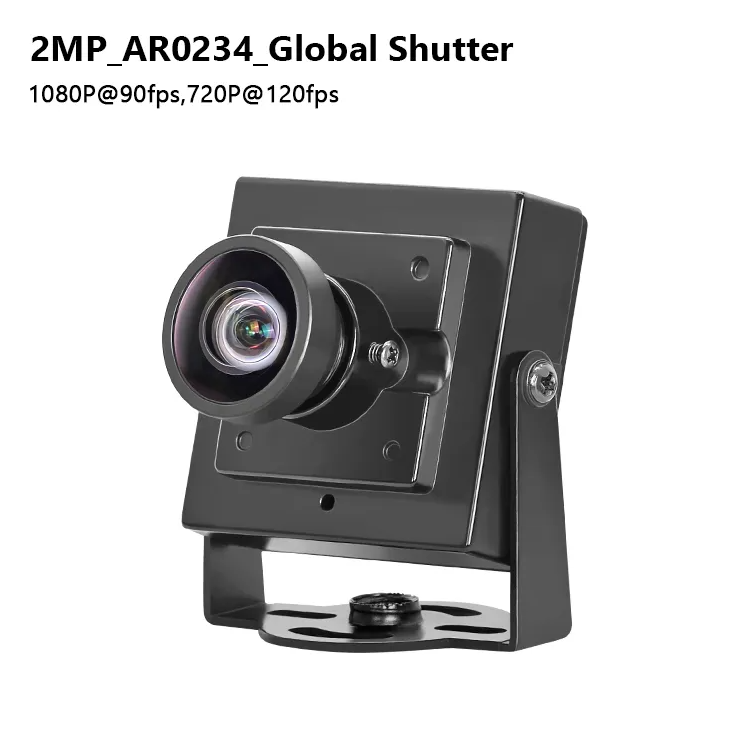
Why Full HD Camcorders Still Deliver Optimal Value for Business Video
The Enduring Advantages of 1080p Resolution in Corporate Contexts
Full HD resolution at 1920 by 1080 pixels still holds up as the go-to choice for businesses looking for decent quality without breaking the bank. It finds that sweet spot where things look good enough on screen but don't eat up too much system resources. When companies need to run training sessions, host meetings via video calls, or share updates internally, 1080p makes sure text stays readable even from across the room. Plus it picks up those little facial cues people rely on during virtual interactions. The best part? These files stay reasonably sized so they don't clog up servers or slow down cloud services. Compare that to 4K videos which require fancy equipment just to encode and need super fast internet connections to stream properly. Most offices already have everything needed to play back Full HD content on their regular computers, projectors, and smartphones without any fuss. And when it comes time to edit the footage later, working with 1080p means faster rendering times and less strain on computer hardware, which saves money and headaches for teams that aren't full time video editors.
Balancing Sensor Performance, Low-Light Usability, and Cost in Entry-to-Mid-Tier Full HD Camcorders
The latest entry level to mid range Full HD camcorders now come equipped with improved 1/2.3 inch CMOS sensors that actually perform better in everyday situations. These cameras can capture around 15 stops of dynamic range which means they handle both bright highlights and dark shadows pretty well. They still manage decent detail even when shooting in poorly lit conference rooms or those tricky lighting conditions at trade shows. Bigger sensors definitely help with night shots, but let's face it, they cost way too much for what most companies need. Businesses that want dependable video quality without breaking the bank should look at current mid tier Full HD options. The price point makes sense for most corporate needs while still delivering professional results.
| Feature | Entry-Level Benefit | Business Impact |
|---|---|---|
| Low-Light Handling | Advanced noise reduction algorithms | Enables professional-grade recording in typical office or event lighting—no dedicated lighting crew required |
| Optical Zoom | 20x–30x ranges | Supports flexible framing for stage demos, product close-ups, or audience reactions without repositioning |
| Codec Efficiency | H.264/H.265 compression | Cuts file sizes by ~50% versus RAW formats, directly lowering cloud storage and transfer costs |
These models also simplify long-term operations: fixed-lens designs minimize calibration needs and mechanical wear—key advantages for teams managing daily documentation without dedicated AV support.
Frame Rate Selection: Matching Full HD Camcorder Capabilities to Business Use Cases
30fps for Clarity and Efficiency: Presentations, Interviews, and Internal Training
When dealing with content that doesn't move around much like executive slideshows, new hire training videos, legal compliance sessions, or customer meeting recordings, 30 frames per second still stands as the go to choice for most professionals. The human eye perceives movement smoothly at this rate while keeping file sizes manageable and internet usage reasonable. Storing lengthy meetings in conference rooms or step by step instructional material actually works out better financially in the long run. Plus editors won't struggle with lag when cutting together footage on average computers instead of needing top of the line hardware. Most importantly, since nearly every Full HD camera comes pre set to record at 30fps, there's no guesswork involved in getting reliable results throughout production workflows without unexpected hiccups popping up later.
60fps for Motion Integrity: Live Events, Product Demonstrations, and Dynamic Documentation
For situations where every detail matters on the screen manufacturing floor inspections, product demonstrations, equipment checks, or covering trade shows going with 60fps makes all the difference. The higher frame rate cuts down on motion blur so we can actually see what's happening when hands are moving quickly across screens, machines are spinning around, or subjects switch positions rapidly. Plus, it lets us play back those moments in slow motion without artifacts getting in the way, which is gold for quality control teams looking at production lines or marketers putting together their best content highlights. Sure, shooting at 60fps takes up about 40 to 50 percent more storage space compared to regular 30fps video, but most businesses find that extra clarity worth the price tag when dealing with important operations or creating compelling promotional materials.
Stabilization, Ergonomics, and Workflow Integration for Reliable Daily Use
EIS vs. OIS in Full HD Camcorders: Practical Trade-offs for Field Teams and Remote Workers
Good stabilization isn't just nice to have anymore it's basically essential if anyone wants to look credible when documenting work on site or collaborating remotely these days. Most full HD camcorders come with either EIS or OIS technology, and they serve different purposes depending on what kind of situations users find themselves in. The electronic version works by using smart software to crop footage and interpolate frames whenever there's movement detected. This makes them light on batteries and great for people who need to carry cameras around all day long, though sometimes parts of the image get cut off—and quick direction changes can be tricky to handle smoothly. On the other hand, optical stabilization actually moves parts inside the lens or sensor hardware itself, which gives much better results without losing picture quality. These systems perform exceptionally well in tough conditions such as busy factories or packed event venues where every little bit of stability matters. Of course, this comes at a price point both literally and figuratively since these units tend to weigh more, cost extra cash, and drain batteries a bit faster than their electronic counterparts.
When it comes to ergonomics, things work differently depending on what kind of system we're talking about. The EIS models tend to have smaller grips that fit better in one hand, making them easier to handle alone. On the flip side, those with OIS usually come with sturdier bodies and weights spread out just right so they don't feel top heavy after holding them for long periods. For folks who need to move around a lot, like people giving presentations from afar or HR staff doing walk throughs at different locations, EIS makes sense because it's lighter and more portable. But if clear video matters most during movement, then OIS should be the way to go. Think about technical instructors showing how parts fit together step by step, or marketers trying to capture products in action without shaky footage ruining everything. These situations demand that extra bit of stability only OIS can provide.
Audio Quality and Connectivity: Ensuring Professional Output from Your Full HD Camcorder
Built-in Microphones vs. XLR/3.5mm Inputs — When to Prioritize Convenience or Fidelity
The built in mics on most devices offer pretty good convenience when it comes to fast recordings without much hassle. Great for those quick grab sessions during field work, last minute meeting catch ups between colleagues, or just documenting processes as they happen. No need to fumble around with extra equipment or spend time setting things up properly. But there are some serious downsides to consider. These mics typically have limited sound range, struggle with background noises, and pick up every little tap or movement. That makes them unreliable for important situations where quality matters a lot, such as preparing presentations for investors, making official company statements, or capturing professional grade content for product launches.
In serious production situations, having external mic options through XLR or 3.5mm ports becomes really important. A good directional shotgun mic captures voices clearly without background noise, while clip-on lav mics work great when multiple people are speaking during interviews. The difference in audio quality is night and day compared to built-in mics. Some cameras even come with two XLR inputs which lets pros record in stereo or manage different channels separately. Real time audio monitoring saves everyone headaches later on by catching problems before they become expensive fixes. Look at XLR connections on Full HD camcorders as essential gear rather than just an extra feature. This kind of connectivity shows what kind of job the camera was designed for. Professional broadcasters know that clean audio makes all the difference in how audiences perceive content and builds credibility for brands over time.
FAQ
Why choose Full HD over 4K for business videos?
Full HD provides excellent quality without the high system demands of 4K, making it suitable for most business applications like training and video calls.
Is a more expensive camcorder worth it for low-light filming?
Mid-tier Full HD camcorders with enhanced sensors are usually sufficient and cost-effective for most business needs.
Should I prioritize 30fps or 60fps for business recordings?
Use 30fps for static content like presentations and 60fps for dynamic events needing detailed motion capture.
How important is it to have external microphone inputs?
External mic inputs become vital in professional settings to ensure high-quality audio capture undisturbed by ambient noise.
Table of Contents
- Why Full HD Camcorders Still Deliver Optimal Value for Business Video
- Frame Rate Selection: Matching Full HD Camcorder Capabilities to Business Use Cases
- Stabilization, Ergonomics, and Workflow Integration for Reliable Daily Use
- Audio Quality and Connectivity: Ensuring Professional Output from Your Full HD Camcorder
- FAQ