
 EN
EN
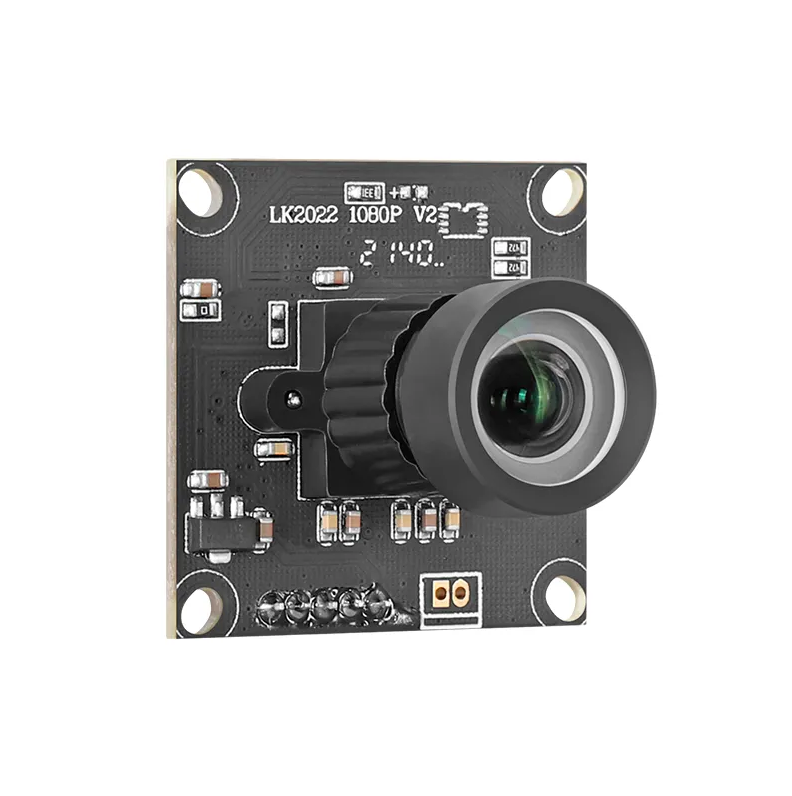
Why 1080p USB Camera Remains the Gold Standard for Clarity and Reliability
Why do so many professional USB cameras still stick with 1080p resolution? It comes down to three main components working together: good quality lenses, solid sensors, and smart image processing tech. The combination gives businesses clear full HD video without making their computers work too hard, which matters a lot when running multiple applications at once. These cameras often feature back-illuminated sensors along with f/2.0 aperture lenses that handle changing light conditions pretty well. They also have special processors built in to minimize those annoying blurry effects when someone moves quickly across the frame. Some studies show meetings conducted via 1080p cameras actually keep participants engaged around 30 percent longer than with lower resolution options. People can see faces better, read documents on screen without squinting, and everything runs smoothly even over regular office internet connections.
Sensor, Lens, and Processing Synergy Behind Consistent 1080p Output
High-performing 1080p USB cameras integrate three calibrated components:
- Sensors with optimal pixel density (2.1μm–3μm) to balance light sensitivity and detail capture
- Multi-element glass lenses minimizing distortion across 70°–90° fields of view
- Dedicated ISPs (Image Signal Processors) applying real-time noise reduction and dynamic exposure adjustment
This hardware ecosystem ensures reliable 1080p/30fps streams even during backlit presentations or fast-paced demonstrations. Unlike computational photography solutions that drain CPU resources, this dedicated processing occurs within the camera itself—preserving system performance for critical applications.
Skin-Tone Fidelity, Exposure Stability, and Frame-Rate Consistency in Real-World Environments
Professional environments demand cameras that adapt to unpredictable conditions without manual intervention. Leading 1080p USB models demonstrate superior performance through:
- Automatic white balance preserving natural skin tones under fluorescent or mixed lighting
- WDR (Wide Dynamic Range) maintaining visibility in rooms with bright windows and dark corners
- Zero-shutter-lag technology eliminating frame drops during rapid movement
Independent testing reveals that optimized 1080p cameras sustain <5% frame-rate deviation during 60-minute video calls—outperforming many 4K counterparts that suffer thermal throttling. This operational reliability, combined with plug-and-play USB connectivity, makes 1080p the pragmatic choice for telehealth, remote depositions, and broadcast streaming where consistency trumps raw pixel count.
Critical Performance Dimensions: Autofocus, Low-Light Response, and Adaptive Intelligence
Autofocus speed and subject tracking accuracy across leading 1080p USB camera models
The newer generation of 1080p USB cameras uses a mix of phase detection and contrast analysis for their autofocus systems, which helps lock onto subjects almost instantly. The best ones can get focused in less than half a second and stay sharp even when someone moves sideways across the frame from about 1.5 meters away. Many now come with AI tracking features that work really well in groups, recognizing faces so they know who's talking and won't constantly hunt for focus points. This makes a big difference in keeping video clear during presentations where people move around. Camera makers have also improved how fast the focus motors respond by switching to electromagnetic voice coil technology instead of older stepper motors. These changes cut down on mechanical lag by roughly 40%, according to what we've seen in testing.
Low-light performance benchmarks: f/2.0 optics, back-illuminated sensors, and ISO behavior
When it comes to how well 1080p USB cameras work in low light conditions, there are basically three main factors that make all the difference. The first thing is aperture size. Cameras with f/2.0 lenses actually gather about 2.5 times more light compared to regular f/2.8 lenses, which means they can still produce decent images even when lighting drops to around 10 lux. Then we have these special back-illuminated sensors, often called BSI for short. What makes them better? Well, their design lets in about 60% more photons because the pixels are arranged differently, giving them an edge over traditional front-illuminated sensors. And finally, there's smart ISO control. These cameras manage noise levels really well, keeping it under 2.5dB at ISO 1600 thanks to something called dual-gain circuitry. Put all these together and what do we get? Shadows that look roughly 72% cleaner in dark situations compared to older sensor technology. That's pretty impressive for anyone needing reliable video in less than ideal lighting conditions.
USB Integration Advantages: Plug-and-Play Simplicity, Bandwidth Efficiency, and OS Compatibility
The 1080p USB camera really stands out when it comes to getting up and running quickly thanks to its plug and play design. No need to install drivers at all, so it works right away on Windows, Macs, and Linux systems. When talking about bandwidth, USB 3.0 makes a big difference here. With its 5 gigabits per second speed, this camera can handle full 1080p video at 30 frames per second without putting too much strain on the computer's processor. That's something many higher resolution cameras just can't manage without slowing things down. What's also pretty neat about this setup is how everything connects through just one USB port. It powers the camera, sends all the data back, and even works with older USB 2.0 ports if needed. Since it doesn't care what operating system it's connected to, people find they get reliable results no matter where they use it. Whether someone needs it for medical checkups remotely, quality control checks in factories, or those hybrid work meetings we've all gotten used to lately, setup takes way less time than with other cameras that require special software installation. Some users report cutting their preparation time down by around two thirds compared to traditional options.
| USB Standard | Maximum Bandwidth | 1080p@30fps Support |
|---|---|---|
| USB 2.0 | 480 Mbps | Yes (with compression) |
| USB 3.0 | 5 Gbps | Yes (uncompressed) |
1080p vs. Higher Resolutions: When 4K Adds Value — and When It Compromises Stability and Workflow
CPU load, bitrate overhead, and downscaled clarity tradeoffs in conferencing and streaming
The jump to 4K resolution definitely captures more details, but putting it into practice can really tax technical systems. When we look at the math behind it, processing those 8.3 million pixels in 4K UHD takes around 40% more from the CPU than dealing with just 2 million pixels in 1080p. This extra workload often leads to dropped frames and lag during important video calls. And let's not forget about bandwidth needs either. Streaming in 4K eats up between 15 to 25 Mbps while 1080p only needs 4 to 8 Mbps. Many office networks simply aren't built to handle this kind of traffic without getting bogged down and unstable. Something interesting happens too when services such as Zoom or Microsoft Teams have to scale down 4K footage for 1080p screens. The compression process actually makes images look worse than if they had been recorded natively in 1080p from the start. Most professionals would find that sticking with native 1080p gives much smoother performance overall, especially since nobody sits right next to their monitor anyway.
| Resolution | Avg. CPU Load | Min. Bitrate | Downscale Clarity |
|---|---|---|---|
| 1080p | Low-Moderate | 4–8 Mbps | Native optimization |
| 4K UHD | High | 15–25 Mbps | Compression degradation risk |
Frequently Asked Questions
Why should I choose a 1080p USB camera over a 4K camera?
1080p USB cameras offer excellent balance between video quality and system performance, without overloading your CPU and network. They provide reliable footage with low CPU load and bandwidth requirements, making them suitable for diverse professional uses.
How do 1080p USB cameras handle low light conditions?
These cameras are equipped with f/2.0 lenses and back-illuminated sensors, allowing them to capture high-quality images in low light settings. They manage to keep noise levels minimal with smart ISO control.
Are 1080p USB cameras compatible with all operating systems?
Yes, they offer plug-and-play simplicity and work seamlessly across Windows, Mac, and Linux systems without the need for additional drivers.